There's a new trend in the PC tech sphere: AV1 encoding. Both NVIDIA and AMD now support it on their latest graphics cards. But is it actually worth the hype? And more importantly… should you use it? That's what we're breaking down today.
AV1 is a new, super-efficient video codec. Its big selling point is low bitrate performance. Here's what that means in practice: imagine you record a clip. With H.264, you might need 50 megabits per second for it to look clean and sharp. With AV1, you could get that same visual quality at just 20 megabits per second.
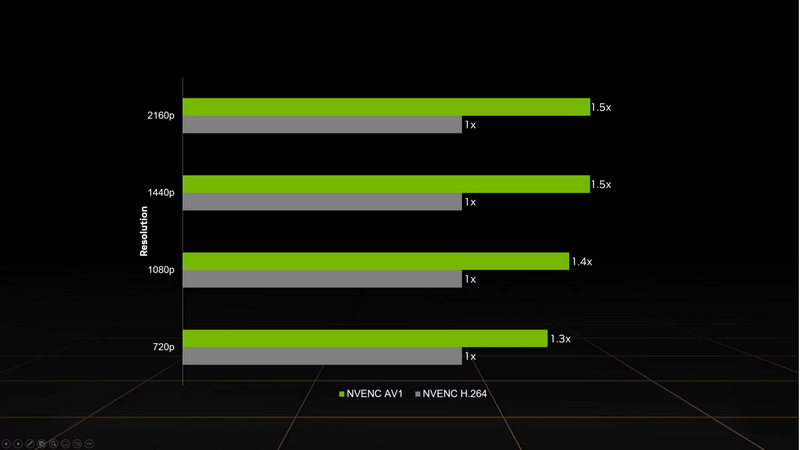
Record at a fraction of the bitrate, and your footage will still look cleaner compared to H.264 or even HEVC and take less size on the hard drive.
Sounds perfect, right? Well… not so fast.
Here's a simple comparison showing how much bitrate each codec needs for the same quality:
H.264:  ██████████████████████████████████████████████████  50 Mbps
HEVC:   ███████████████████████████████████                 35 Mbps
AV1:    ████████████████████                                20 Mbps
Lower is better - AV1 achieves the same quality at significantly lower bitrates
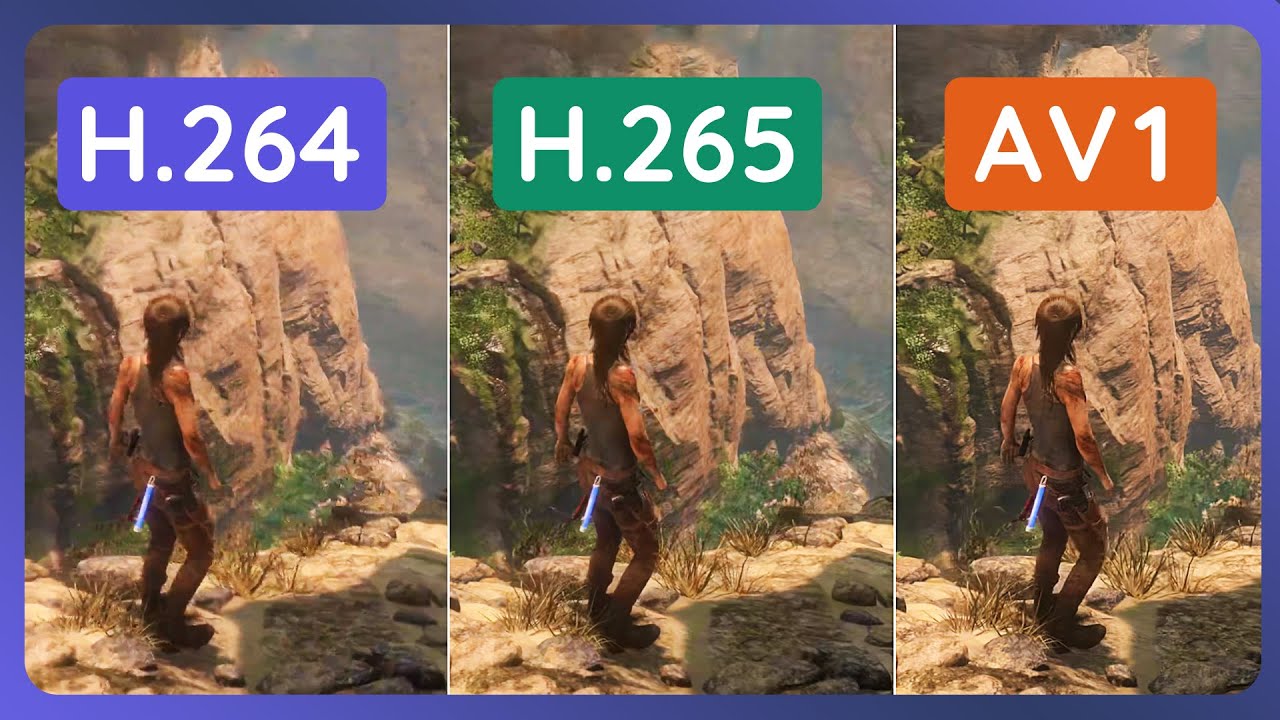
Because AV1 has one huge downside: compatibility. Or really, the lack of it.
It's so new that most phones, many media players, and even some editing apps don't recognize it yet.
So imagine this: you record an awesome gaming clip in AV1. The file is tiny, the quality looks crisp. You send it to a friend on Discord. They tap it on their iPhone… and nothing happens. It just won't play.

Or you import it into Adobe Premiere… and you get an error: "file format not supported."
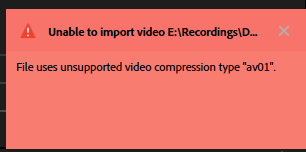
Suddenly, that space-saving miracle clip is basically stuck on your hard drive.
✓ Works:
YouTube, newer Android phones (2022+), Windows 11, VLC Player, Chrome browser
✗ Doesn't work:
Most iPhones, Instagram, TikTok, many TVs, older media players, some editing software
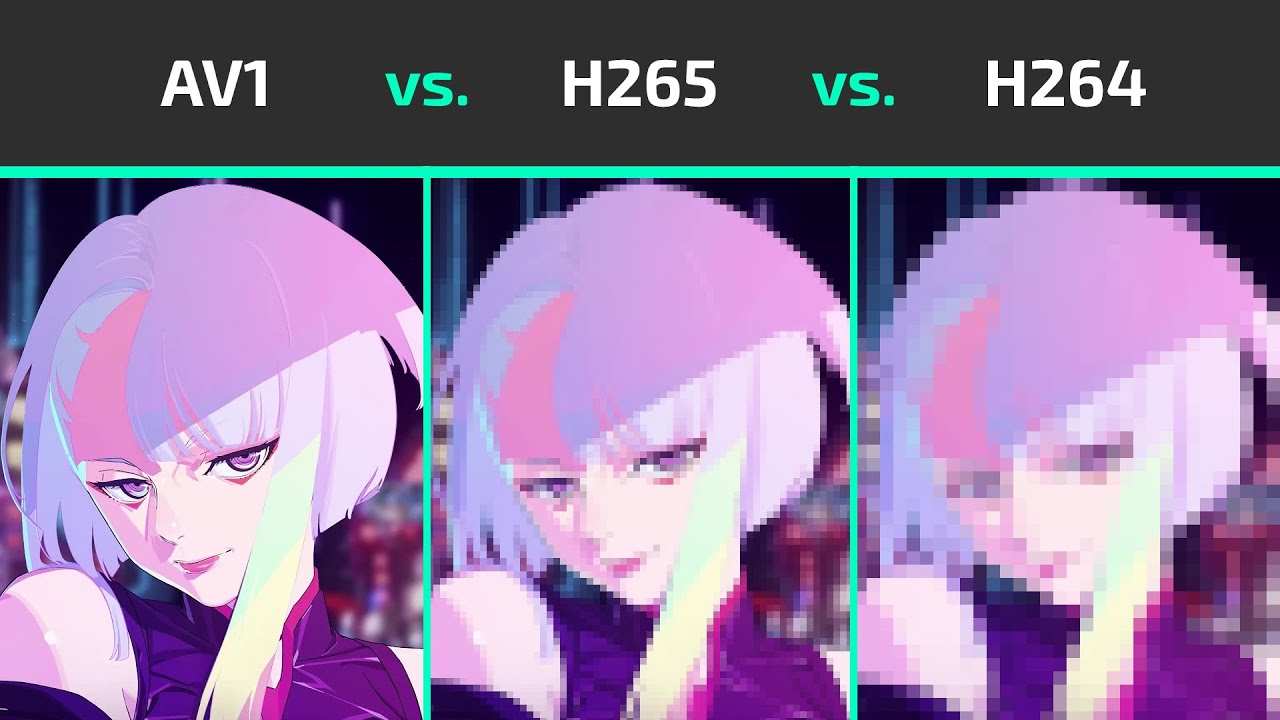
Here's another important point: AV1 only shines at low bitrates.
There is no point in using it if you already record at a high bitrate!
If you're recording at high bitrates anyway — say, 50 Mbps or more — H.264 and HEVC already look fantastic. AV1 won't magically look better here. You'll just be using more encoding power for zero visual gain.
And about that encoding power — this is actually important for performance.
AV1 is extremely demanding to encode. If your GPU doesn't have dedicated AV1 hardware encoding (think RTX 40-series or RX 7000 and up), and you try to encode it using your CPU…
Your game will stutter. Your frames will drop. It'll be a terrible experience.
H.264:  ████████                                            Low (10-15% CPU)
HEVC:   ████████████████                                    Medium (20-30% CPU)
AV1:    ████████████████████████████████████████████████    Very High (60-80% CPU)
Higher CPU usage = worse gaming performance. AV1 software encoding kills your FPS.
H.264 (NVENC/VCE):  ██                                      Minimal impact
HEVC (NVENC/VCE):   ███                                     Minimal impact
AV1 (NVENC/VCE):    ███                                     Minimal impact
Hardware encoding fixes the problem - but you need RTX 40-series or RX 7000+ GPUs.
But there's one area where AV1 isn't just good — it's a game-changer.
Streaming.

If you stream to YouTube, AV1 is like super good. YouTube accepts it natively, and the efficiency is insane. You can stream at a much lower bitrate, and it will look better than H.264 — fewer compression artifacts, cleaner motion, better detail in shadows.
So if your internet upload speed isn't amazing, AV1 streaming can seriously elevate your quality.
✓ You want smaller file sizes for recordings
✓ You stream to YouTube or another AV1-friendly platform
✓ You have a modern GPU that handles it in hardware (RTX 40-series, RX 7000+)
✓ You don't need wide compatibility
✗ You share clips with friends or post on social media
✗ You edit in software that doesn't support it yet
✗ You play back on older phones, tablets, or TVs
✗ You already record at high bitrates
AV1 isn't here to replace H.264 or HEVC. It's another tool — incredibly powerful, but very situational.
If you know exactly why you're choosing it, AV1 is awesome. But if you just click it because it's new… you might end up with files you can't use.
So choose wisely.